Makerplatz live documentation

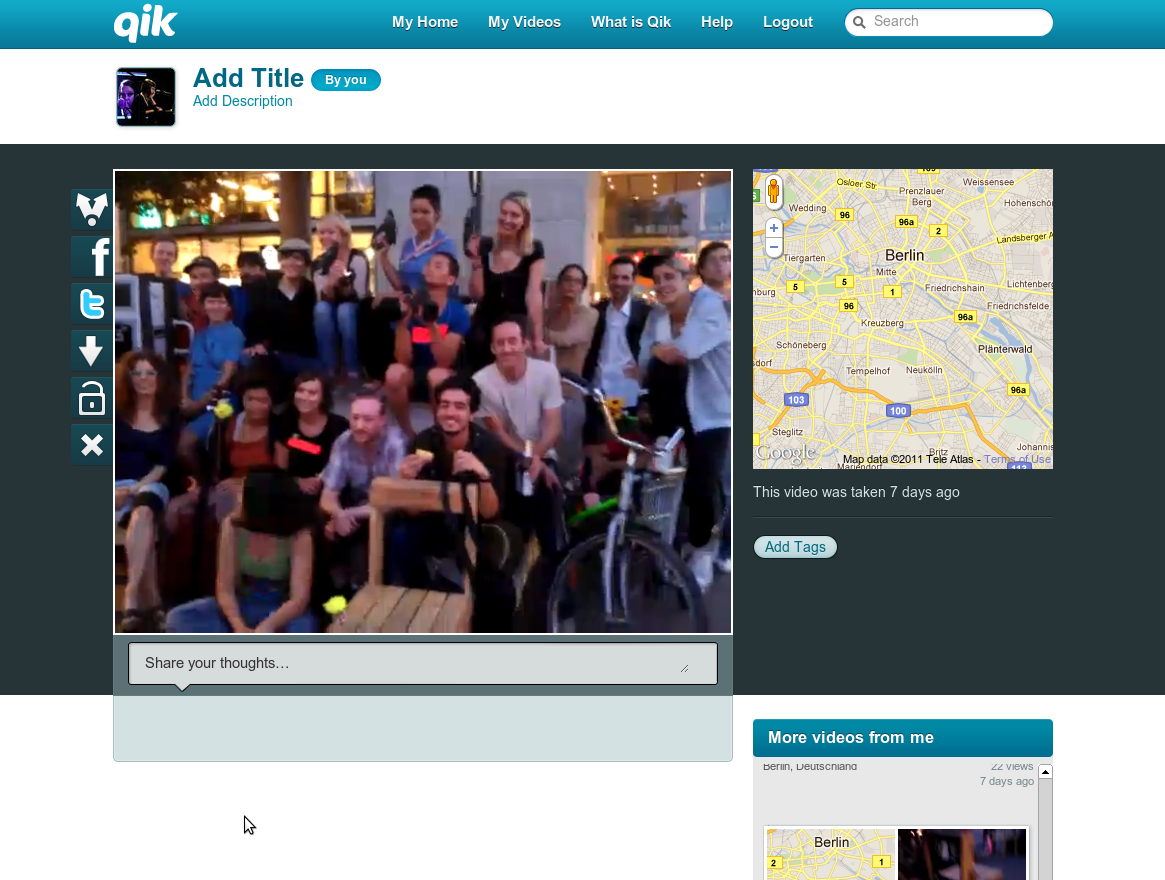
A week ago various “makers” from around Moritzplatz in Berlin Kreuzberg hacked the public space surrounding them and celebrated Makerplatz. During two days dozens of micro events and performances took place between different locations in the area. To capture the decentralised nature of Makerplatz, to document and to give orientation while things are happening throughout the day, performer Brina Stinehelfer inspired a live internet broadcast performance.

Following the everyone-is-a-publisher spirit of the early internet days a DIY set-up was quickly cooked up using available technology: A smartphone with a free live-streaming app, the app’s website repeating and archiving the streams and the Makerplatz website to announce content. Done. The videos were played live on a battery-powered mobile info point and projected in the Betahaus café. All what was needed now was Brina to walk around and report live. See the 83 videos she took at qik.com/makerplatz.

Making Of

Initially I was not even going to be at Makerplatz, but invited by Judith of Trial&Error and lured by free food I hung around a preparation meeting hosted by Platoon in Mitte three days before the event. Suddenly I found myself in a discussion about wireless mesh clouds on Moritzplatz and video streams from mobile phones. I decided quickly that I want to be part of the performance, shuffled around my travel plans a little and agreed to give technical support on site.

After a quick evaluation of alternatives the centrepiece of the broadcast became Qik, a freemium live video sharing site with apps for all major mobile platforms, recently bought by $kype. We used a recent Android phone by HTC with 2 cameras. Once the app was installed and a Qik account was created we could already record video on the phone and view it on qik.com a few seconds later. We tested with a free Qik account first, but it’s limited to 20-something clips, so we upgraded to a free premium trial. Note to self: Don’t forget to cancel premium account in 2 weeks from now.

On this particular phone a live broadcast was lacking video and fluent audio when viewing it on qik.com during recording. But once recording was stopped and the clip was completely uploaded, sound and video were fine. Other Android phones had no problem broadcasting video while it was being recorded, so you might want to try different handsets and see which one works best for you. Also make sure to share videos publicly by tapping the padlock in the record screen to open it, otherwise you won’t see the videos on the public channel. This was a gotcha for us a few times. ;)

Brina’s phone was connected to the internet via roaming between 3G, HSDPA and wireless, which worked out quite well. The screen at the mobile info-point however was relying on a wireless connection of a café at Moritzplatz, which faded away in the afternoon. Next time we’ll make sure to have a USB dongle for mobile internet and then be able to move around independently.

On the morning of the second day I wrote a small HTML page (benn.org/makerplatz) which plays the latest video from the qik.com/makerplatz/latest-videos RSS stream when loaded. I am using jFeed with its PHP RSS proxy for parsing the feed. Due to the lack of JavaScript events fired by the Qik player and missing playing time in the RSS feed, the page simply refreshes every few minutes to play the next video if it’s there. This is less than ideal, but it’s the only solution I could come up with in the little time I gave myself for this. Initially I tried using the Qik JavaScript API, which proved to be pretty useless due to cross-domain security limitations, and I highly doubt that anyone ever successfully implemented it. A friendly email to request an API key still hasn’t been replied to. In summary: Forget about the Qik JavaScript API.

Yay, that was a fun 3 day hack. I wish I could have done this using free/open-source technology, but I’ll leave this for next time. :) Thanks to Judith, Brina, Manuela, Jay, Marcello and all other makers at Makerplatz! :)

1 Comment

Fair PC mouse project

Yesterday I was invited to join some friends visiting the Good Goods trade fair about sustainable consumption here in Hamburg. Next to the usual suspects such as clothing manufacturers, financial services vendors, energy traders, governmental organisations, publishers, food producers and about half a dozen different organic lemonade brands (samples, yeah!), my personal highlight was the tiny booth of PHeFE (de). Phefe is the ambitious project of researcher Susanne Jordan, aiming to create fair (as in fair-trade) alternatives for consumer electronics, starting with a self-designed computer mouse.

Phefe continues where Goliath corporations fail to deliver again and again, to go beyond labelling energy saving and recyclable devices as “Green IT” and make the entire production of electronics a process that respects basic human rights. As an example the documentary Blood in the Mobile illustrates vividly how mining minerals used in mobile phones is directly linked to local wars. But also sweatshop like labour conditions in product assembly lines are very common, with Foxconn (Apple, Asus, Nokia, Sony Ericsson) controversies unfortunately only being the tip of the iceberg.

The fair PC mouse is not yet available for purchase, but production is planned to start in 2011. So look forward to the Phefe mouse becoming what coffee was to fair-trade foods and hopefully initiating a paradigm shift in the consumer electronics sector. I will keep you updated!

Phefe and Blood in the Mobile are supported by  Make IT Fair, a campaign by several consumer watchdogs and other NGOs – well worth checking out. Wow, things are happening! :)

Other Good Goods I like:

  • Nabu environment phone tariff (de) – a bit expensive compared to other discounters, but a good idea, will stay with my current provider – English summary
  • Biobob (de) - organic fruits crate to your office, met one of the founders, lovely people, will order there next time
  • Next Hamburg (de) - participatory city planning, fresh approach, I filed a complaint about run-down cycle tracks
  • Glore (de) – organic clothing, I got stuff from their Karoviertel shop a month ago
Leave comment

My first glider flight

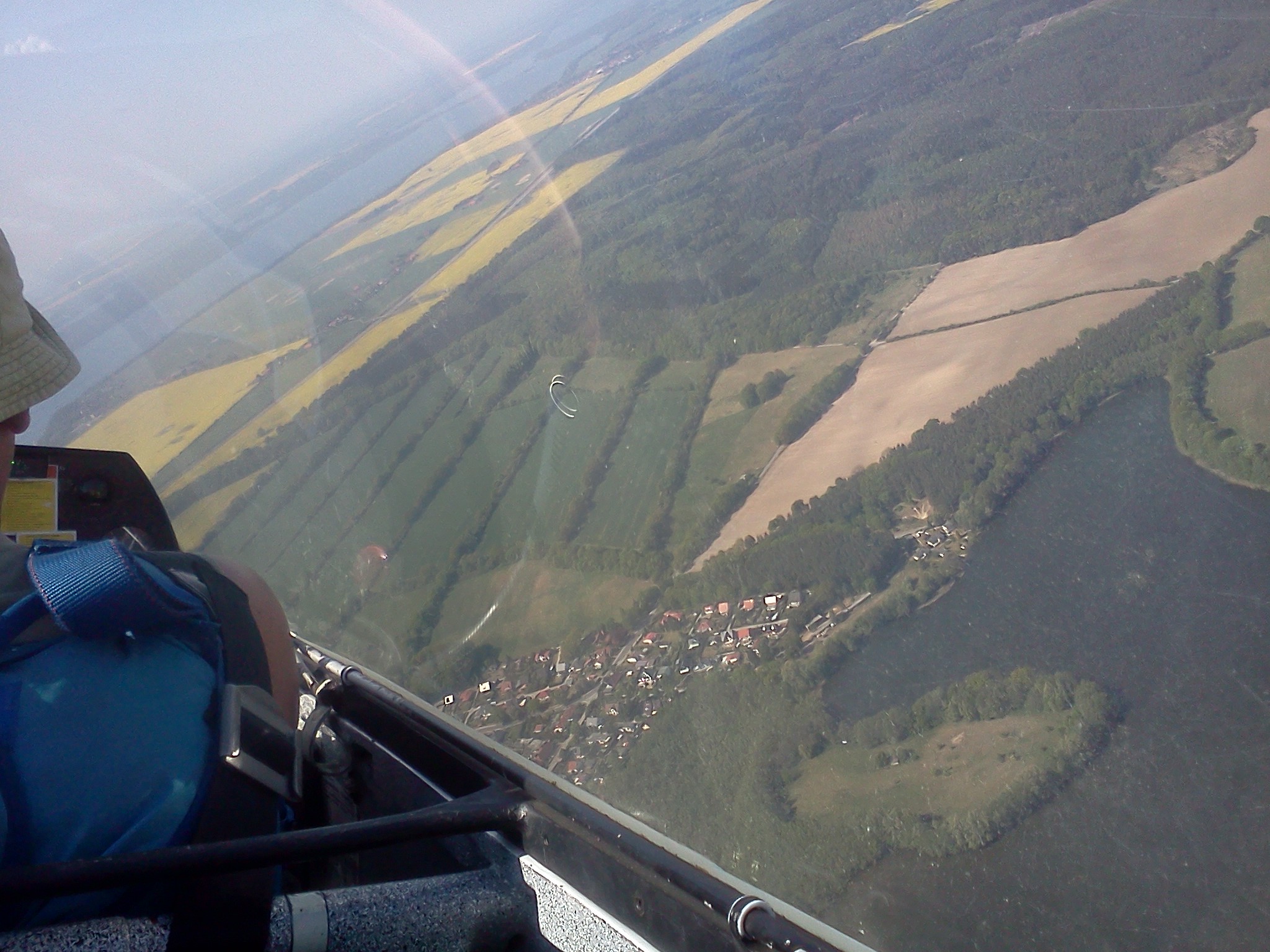
Today a dream of mine came true – I was passenger in a 39 minutes glider flight! We were lucky with thermal updraft and reached 1800 metres within a few minutes. “Yeehaa, this one is like an elevator!”, Bernd, the pilot cheered while spiraling us up into the sky.

The tiny airfield in Pinnow near Schwerin/Germany is just minutes from the house I grew up in. When I was young I spent many weekends watching the gliders go up and lying in the grass to get the thrill of them flying extremely close over my head when landing. On competition days I counted up to 50 gliders in one big spiral. My mum and my dad used to fly them as well. Yet I never dared to get onto one myself. Until today. :)

I am fascinated by how gliders fly with updraft just like big birds. The glider is pulled up by a winch on the ground, unlinks the metal rope (drops a good bit right afterwards, ugh!) and then it’s up to the skill of the pilot and the weather conditions how long you will stay in the air. Free like a bird. No fumes, no noise.

It’s an art to find those updrafts. When like today there are no clouds that indicate updraft, you need to either find some circling big birds to follow or search for it by

flying one direction until you are pushed up a little. You then need to create a mental image of where the column of rising air stands and spiral up in it. You can also “fall” out of the column. That’s fun! Think roller coaster. :)

One of the things that made this trip so unreal is how fast you move around space. You are circling over the old city one minute, then a few moments later you are racing down towards the runway and before you can think you are standing on grass again and hear birds twitter. That seriously messes with your head, man. Well, that and the large quantities of adrenalin in your system I assume.

Enjoy some nice views of my home town from above and lots of whistling and howling in this video that I made with my phone.

Leave comment

Legal Warning

Section 6 Criminal Law Act 1977, as amended by Criminal Justice and Public Order Act 1994 (United Kingdom, applies to England and Wales)

Take notice

  • That we live in this property, it is our home and we intend to stay here.
  • That at all times there is at least one person in this property.
  • That any entry or attempt to enter into this property without our permission is a criminal offence as any one of us who is in physical possession is opposed to entry without our permission.
  • That if you attempt to enter by violence or by threatening violence we will prosecute you. You may receive a sentence of up to six months imprisonment and/or a fine of up to £5,000.
  • That if you want to get us out you will have to issue a claim in the County Court or in the High Court, or produce to us a written statement or certificate in terms of S.12A Criminal Law Act, 1977 (as inserted by Criminal Justice and Public Order Act, 1994).
  • That it is an offence under S.12A (8) Criminal Law Act 1977 (as amended) to knowingly make a false statement to obtain a written statement for the purposes of S. 12A. A person guilty of such an offence may receive a sentence of up to six months imprisonment and/or a fine of up to £5,000.

Signed

The Occupiers

(To be posted at the entrance of a squatted property, also valid if not signed by name)

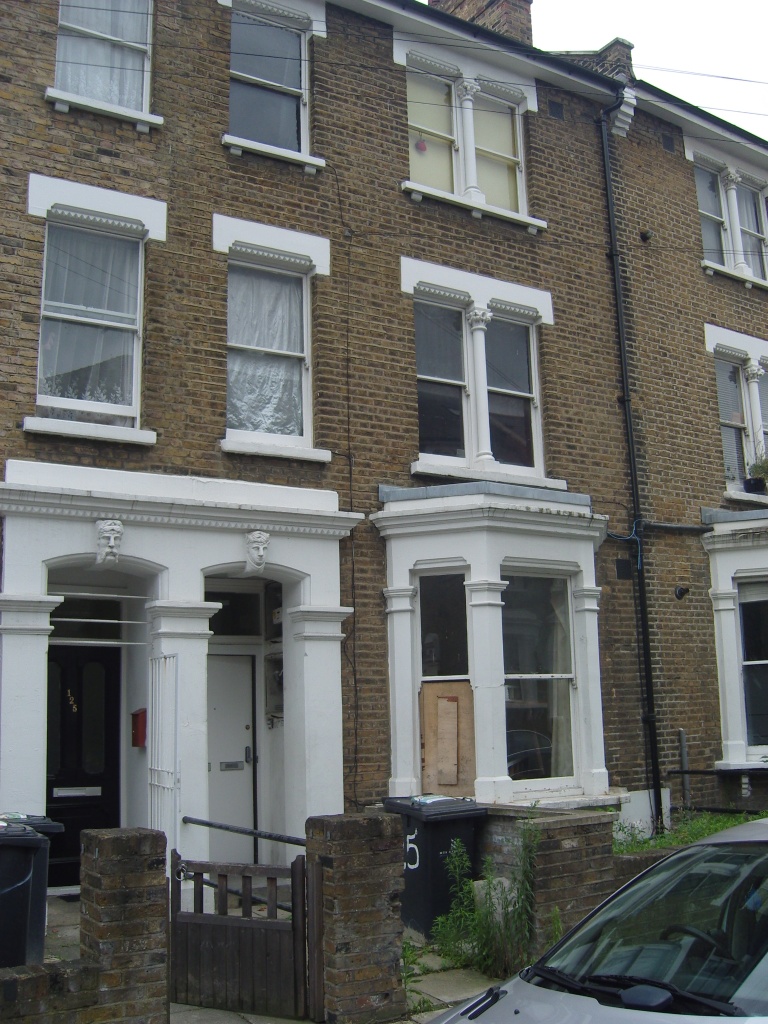
This states the current squatter’s rights in England and Wales and basically means that the owner or landlady/landlord of a property can not evict you from your squat without going through court, proving that they are the owners and that the last tenancy has ended. Court procedures usually take weeks or months, so once you are in you will have a home for a while. If they try to evict illegally they can end up in prison for 6 months and having to pay £5,000 (currently around €6000) in fines. This makes squatting more or less legal in England and Wales. Sweet.

We have an upcoming court case for one flat in our squat on 3 September 2010. Visiting the Advisory Service For Squatters (ASS) office at Whitechapel today should allow us to get a good defense going. We suspect that the owner (council) wants to save some paperwork by getting an eviction warrant for one flat and evict the other flat while they are at it on eviction day. Which, of course, is not legal..

Until then we will continue to take good care of the building: keep it clean, fix little damages, trim plants in the garden, prevent decay and be good neighbours – while enjoying a free home with a garden in Brixton. :)

3 Comments

XMPP: Private XML storage with strophe.js and ejabberd

During the last days I was playing around with a Javascript web chat application using strophe.js. To save user preferences on the ejabberd XMPP server I use Private XML storage (XEP-0049). The specification is pretty straight forward, but due to the lack of a real world example it still took me a while to get it working — hence this post. Thanks to badlop from the ejabberd@conference.jabber.ru XMPP chat room for valuable pointers. Here is how I did it:

1. Make sure mod_http_bind and mod_private are activated in ejabberd.cfg:

{modules,
 [
  {mod_http_bind, []},
  {mod_private, []},
  ...
 ]}.

2. Open BOSH connection to XMPP server (in your Javascript application):

sc = new Strophe.Connection('/http-bind/');
sc.connect('user@example.org', 'password');

3. Build and send IQ stanza for storing data:

var stanza = $iq({type: 'set', id: '_set1'})
  .c('query', {xmlns: 'jabber:iq:private'})
  .c('myclient', {xmlns: 'myclient:prefs'})
  .c('mypreference', 'yes')
  .tree();
sc.sendIQ(stanza);

Replace “myclient” and “myclient:prefs” with your own invented namespace and use your key/value names instead of “mypreference”/”yes”.

The IQ stanza sent to the server will look something like this:

<iq type='set' id='_set1' xmlns='jabber:client'>
  <query xmlns='jabber:iq:private'>
    <myclient xmlns='myclient:prefs'>
      <mypreference>yes</mypreference>
    </myclient>
  </query>
</iq>

Server response:

<iq xmlns='jabber:client' from='...' to='...' id='_set1' type='result'>
  <query xmlns='jabber:iq:private'/>
</iq>

4. Build and send IQ stanza for retrieving data:

var stanza = $iq({type: 'get', id: '_get1'})
  .c('query', {xmlns: 'jabber:iq:private'})
  .c('myclient', {xmlns: 'myclient:prefs'})
  .tree();
sc.sendIQ(stanza, parsePrefs);

function parsePrefs(element) {
  ...
}

Sent to server:

<iq type='get' id='_get1' xmlns='jabber:client'>
  <query xmlns='jabber:iq:private'>
    <myclient xmlns='myclient:prefs'/>
  </query>
</iq>

Server response:

<iq xmlns='jabber:client' from='...' to='...' id='_get1' type='result'>
  <query xmlns='jabber:iq:private'>
    <myclient xmlns='myclient:prefs'>
      <mypreference>yes</mypreference>
    </myclient>
  </query>
</iq>

5. Write parsePrefs() function and enjoy your XML storage! :)

Questions?

3 Comments

FOSDEM, meeting Robin Upton

I am so glad to have met Robin Upton at this year’s FOSDEM conference in Brussels. Robin initiated Altruists International a few years back and is doing elaborate non-formal research in the field of gift economies.

While at FOSDEM (where the only other talk I attended was about strophe.js, an XMPP library designed for the real-time web I was playing with recently) and visiting a chocolate factory outlet a bit outside Brussels, Robin, Dante and I mainly discussed his ongoing project Friend2Friend — a possible technical back-end to a fully independent and distributed gift economy. The software is still a prototype, but I believe it is important pioneering work that encourages new ways of thinking about our data, how it is processed and stored.

Robin is a kind and loving altruist and an inspiring thinker with a strong mathematics background. Believe it or not, his black framed glasses are actually fixed with sticky tape, hehe. Please do invite him to talk about his ideas! He will roam about Europe a bit longer and return to East Asia at some point.

Thanks to Petter, Dante and Kasper for connecting us.

1 Comment

22:22:22

meinhard@monkey:~$ date
Sun Nov 22 22:22:20 CET 2009
meinhard@monkey:~$ date
Sun Nov 22 22:22:21 CET 2009
meinhard@monkey:~$ date
Sun Nov 22 22:22:22 CET 2009

1 Comment

Resize Image Nautilus Script v1.0 released

Script in action

I just uploaded the first public release of my Resize Image Nautilus Script. It’s a small extension to GNOME, the desktop manager used by Ubuntu. The script allows you to easily shrink image files to a sane size with two mouse clicks:

Right-click a photo, choose “Resize Image”, done. The files size of pictures will be reduced to around 50 – 150 KB, depending on the selected target size. This one is for all you people that send me 3 MB holiday snapshots by email — who needs 10 megapixel photos anyway? ;)

Thanks to Ani and Tino, who hosted me at Pension Sighisoara while I was finalising my first fully documented GPL software release.

Throwing together a quick hack for your own use is one thing, but preparing your creation to be used and extended by others (translation: make idiot-proof) takes a good few more hours. Add comments and safety nets in the code, polish the interface, think of future extensions, test on other computers (I should have done that, but I leave that part to you, hehe), write documentation, make screenshots, create a software homepage and announce the release — quite some overhead. But I feel it was worth to go that extra mile.

So, if you use GNOME, please try out the script and leave a comment.

7 Comments

Hacker Space Festival

Last night I came back to Brussels from the Hacker Space Festival in Paris, which I greatly enjoyed. Big cheers to the people of the Hacker Space Brussels for the lift and the short tour of their romantic small artisan space!

For people interested in my lightning talks about PowerTOP, BeWelcome and the TransHackMeeting Istanbul 2010 I uploaded the presentation slides to my sandbox. Wow, that was a sentence with a lot of links. :)

Leave comment

Spam art

Pixel font in HTML tableI just got this art piece by email from a person unknown to me. It contains a HTML table with coloured cells that form the letters V I A G R A.

To trick spam filters spammers always need be one step ahead of filter maintainers, which results in a constant creative arms race, letting both sides dive deeper into existing technology. Our spam filter at Ecobytes for example looks into PDF attachments of emails, finds images with text and tries to read the text to search for offending words. I find that quite a performance for a machine a.k.a. toaster. But in this case the spammer actually used some retro thinking. Bravo! Good luck finding spam signatures in coloured tables, dear spam assassins. :)

Spam has been inspiring artists since a while now. Check out Alex Dragulescu’s beautiful Spam Plants, Linzie Hunter’s typographic Spam One-liners or the Spam Garden. On the other hand there is ASCII art spam too now.

Here is my response: I just wrote a table text generator, which you can use to create pretty text like in the image or to scramble your email address. :)

PS: Yes, this is the first post with an image on this blog. There will be more!

4 Comments